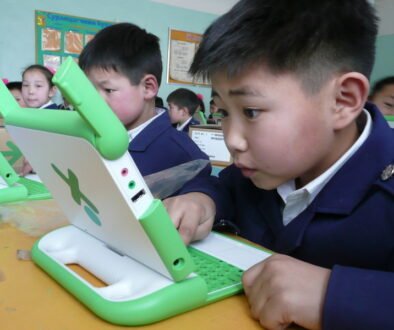
First-day-of-school photos can be a joyful family tradition. Before sharing one, take a short first day of school photo privacy pause. A picture can show more than a child’s face: a name tag, school logo, house number, street sign, location tag, timetable or a familiar daily routine can all reveal information you did not mean to post.
This is not about making families fearful or saying you must never share. It is about choosing what is necessary, limiting identifying details and deciding who can see the final image. The safest edit is often a small one made before the photo goes into a social-media app.
Start with the whole frame, not only your child’s face
Covering a face with an emoji does not automatically remove other clues. Open the original photo and slowly scan the foreground, background and anything reflected in windows, mirrors or car doors. The NSW Government advises families to hide identifying factors such as school emblems, a child’s name and school, and to check whether the background reveals an address or location.
Ask one useful question: could a stranger learn where my child goes, where we live, or what our regular routine is from this picture? If the answer might be yes, crop, blur or choose a different photo.
What to blur, crop or leave out
Names and school identifiers
- Name labels on clothing, lunchboxes, backpacks, artwork or signs.
- School logos, uniform badges, school names and classroom numbers.
- Year level, teacher name, bus route or a visible timetable.
Location and home clues
- House numbers, street signs, apartment labels, vehicle plates and distinctive front-door details.
- Maps, mail, delivery labels or documents visible behind the child.
- A public location tag, check-in or caption that names the school or home area.
Personal details that do not need to be public
- Birth date, age, full name, medical information or contact details.
- Details that show when a child is routinely alone, collected, dropped off or at an activity.
- Another child’s face or personal information without their parent or carer’s permission.
The Australian Federal Police notes that small details such as a school logo, street sign or front door can be combined into a profile. Treat the image, caption, tags and comments as one package: removing a logo from the photo does not help if the caption names the school.
A five-minute first-day photo privacy check
- Choose the least revealing photo. A close crop against a plain background usually shares the milestone without sharing the setting.
- Edit before upload. Crop or blur identifying details on the phone before opening a social platform. The AFP cautions that editing inside a social-media app can mean the original is uploaded before the edit is applied.
- Review the caption. Skip full names, school names, teacher names, class details, location tags and real-time plans.
- Check the audience. Review the account’s privacy settings and use the smallest trusted audience that fits your purpose. A private group is not the same as a promise that nobody will reshare.
- Think about other children. Ask a parent or carer before posting a photo that includes someone else’s child. If you cannot ask, crop them out or do not post it.
- Recheck after editing. Zoom in once more. Blurring should cover the full identifying detail, not just part of a badge or sign.
Use a calm sharing plan
It can help to agree on a simple family rule before the busy morning. For example: one adult takes the photos, the child can say which one feels okay to share, and any post waits until after the school run. Waiting avoids posting your location in real time and gives you room to notice details you missed.
Children can gradually be part of the decision. You might say, “I would like to share this with Grandma. Are you comfortable with that?” Their answer may change as they grow. Listening builds the habit that their image and personal information deserve care.
If you already posted a revealing photo
Do not panic. Remove the post or replace it with a safer crop, then check the caption, tags and comments. Ask trusted people who reshared it to take it down. Review who can see future posts and talk with family members about your preferences for school photos. You cannot guarantee that a copied image disappears everywhere, but removing the original and reducing further sharing are practical next steps.
Bottom line
A thoughtful first day of school photo privacy check protects the celebration without turning it into a scary task. Scan for names, school details, location clues and other children; edit before upload; limit the audience; and leave out details that do not need to be public. A small pause lets the memory stay the focus.